Personalized Seller Decision Room™ GIF Email
Turn each seller's own property photo into a personalized animated GIF, place it inside their email, and drive them directly into their Seller Decision Room™.
Their House. Their Email. Their Decision Room.
Training Video
Watch the training first, then use the prompt below to build your personalized SDR GIF email system.
Why This Is Different
Personalized to Their Property
The seller sees an animated GIF created from their actual property photo.
Drives Directly Into Their SDR
The property GIF and email CTA connect directly to the seller's personalized Seller Decision Room™.
Runs Automatically
Once configured, the system can identify qualified sellers, create their GIFs, update the CRM, and trigger the delivery workflow.
Real Email Experience
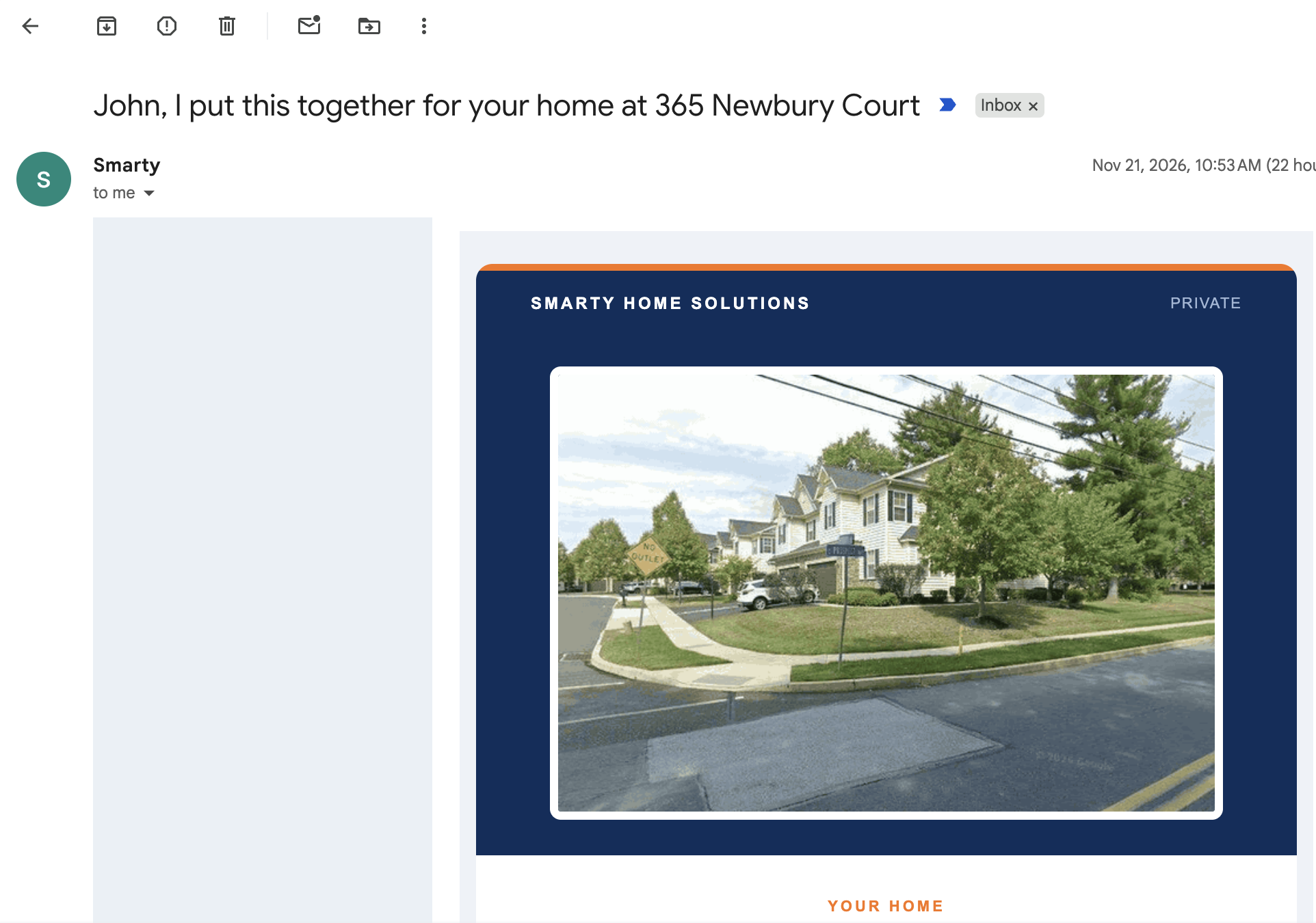
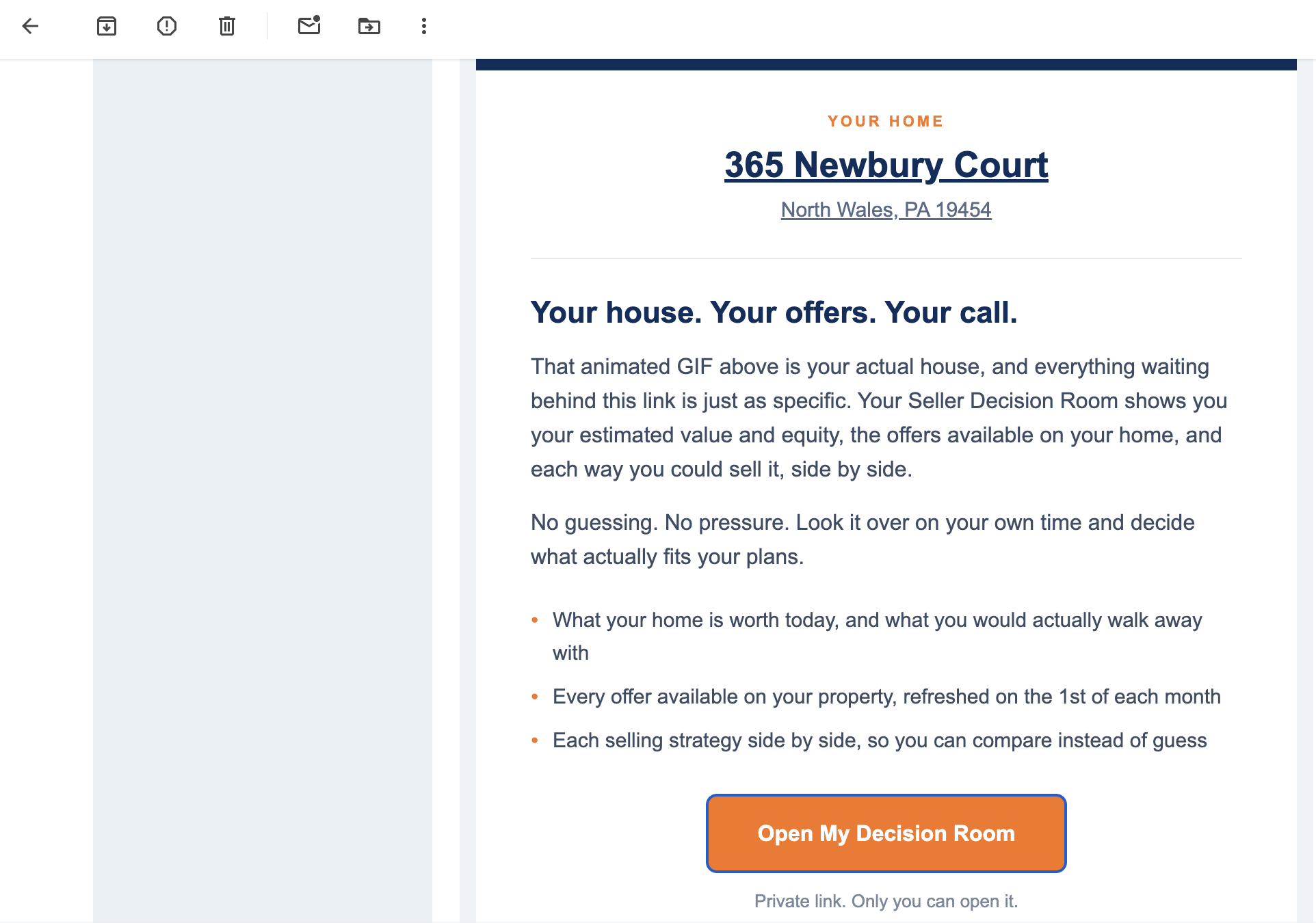
See how the personalized animated property GIF and Decision Room CTA appear in the seller's inbox.
Header with property photo animated into an engaging GIF
Direct call-to-action driving the seller into their private room
Build the System
Dubb Agent + ProEdge CRM Automation
Use the prompt below with Dubb Agent to build the personalized Seller Decision Room GIF system.
# The Seller Decision Room GIF Playbook
**Smarty Home Solutions · Dubb Agent + GoHighLevel**
One animated house GIF per seller, one email that shows it, one routine that runs it every
morning.
---
## Before you start
You need these already in place. If any is missing, fix that first, not the prompt.
- Dubb Agent connected to your HighLevel sub-account by private integration key, with your
Location ID attached.
- The agency snapshot installed: the custom fields and tags listed in the prompt below, with
the same IDs.
- The workflow **ProEdge - SDR - GIF Seller Delivery** imported into your sub-account.
- Your two email templates pasted into that workflow's seller and investor branches. Both are
in this file.
- A property photo on your contacts, in the Property Photo URL field.
You do **not** need to look anything up or edit the prompt. The field IDs and tag spellings in it
are identical across every sub-account on our setup.
---
## How to use this file
1. Copy **Part 1** into Dubb Agent as a new message. Nothing else.
2. Answer its two questions: paste **Part 2** and **Part 3** when it asks for your templates, and
give it one contact ID for the test.
3. Watch the test arrive in your own inbox before you let the daily routine run.
Total setup time is about fifteen minutes, most of it waiting on the first GIF.
---
## Part 1: The prompt
Copy everything inside the block below.
```text
ROLE
You are my real estate marketing operator. I use a HighLevel CRM with a Dubb Agent
connected to it. My agency runs one standard setup, so every tag and custom field below
already exists in my sub-account with these exact IDs. Do not rediscover them, do not rename
them, and do not ask me to confirm them. Implement.
MY CONNECTION IS ALREADY SET UP
My HighLevel private integration key is alrea...
The Result
The seller receives an email featuring their own property, clicks into their private Seller Decision Room™, and can explore their value, equity, offers, and selling options.